Export your chat in 30 seconds.
Everything happens inside WhatsApp. Follow the screens below, save the export, then upload it here. We only read the text file inside.
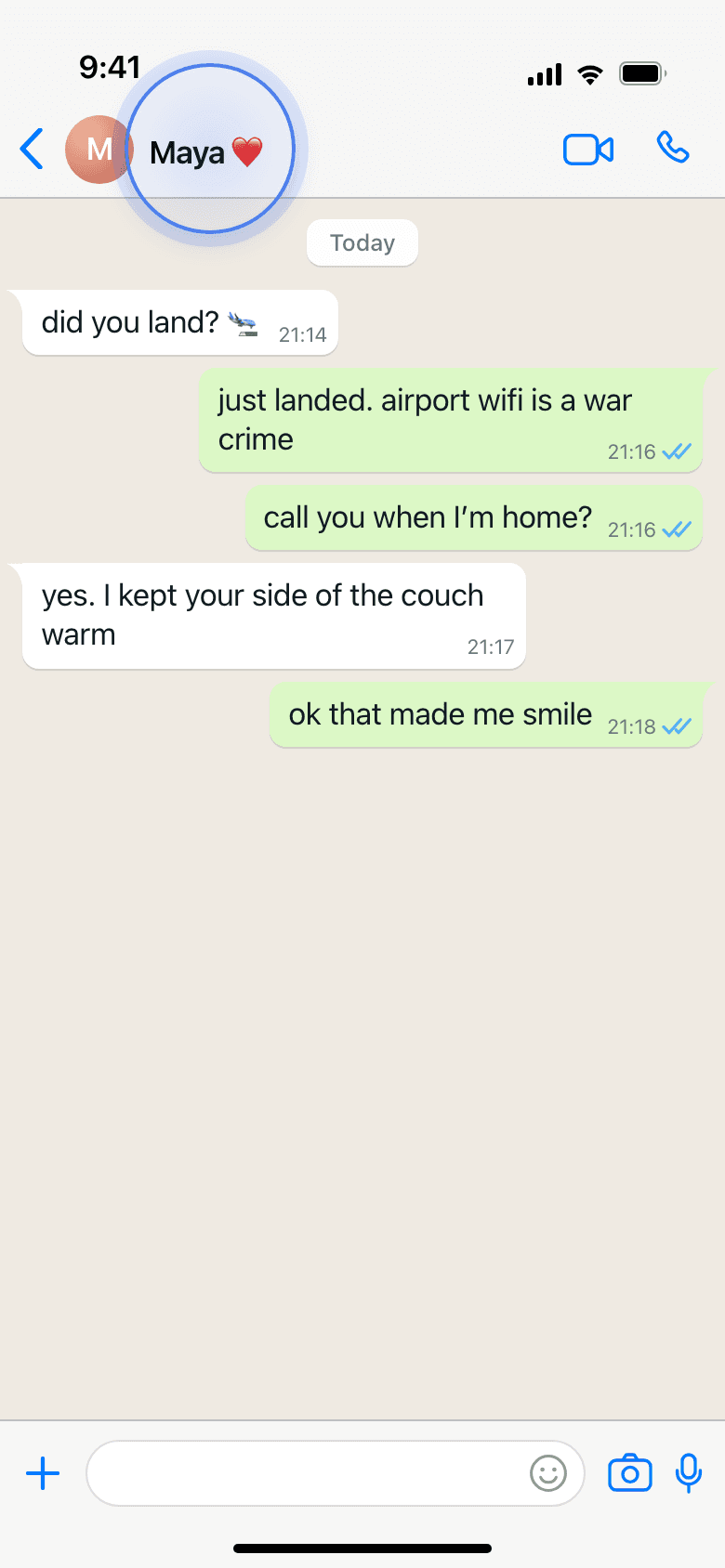

Open the chat, then tap their name.
Start inside the one-on-one WhatsApp conversation you want read. Tap the contact name at the very top to open the chat info screen.
This is the only chat we read: one conversation, both sides, exported by you.
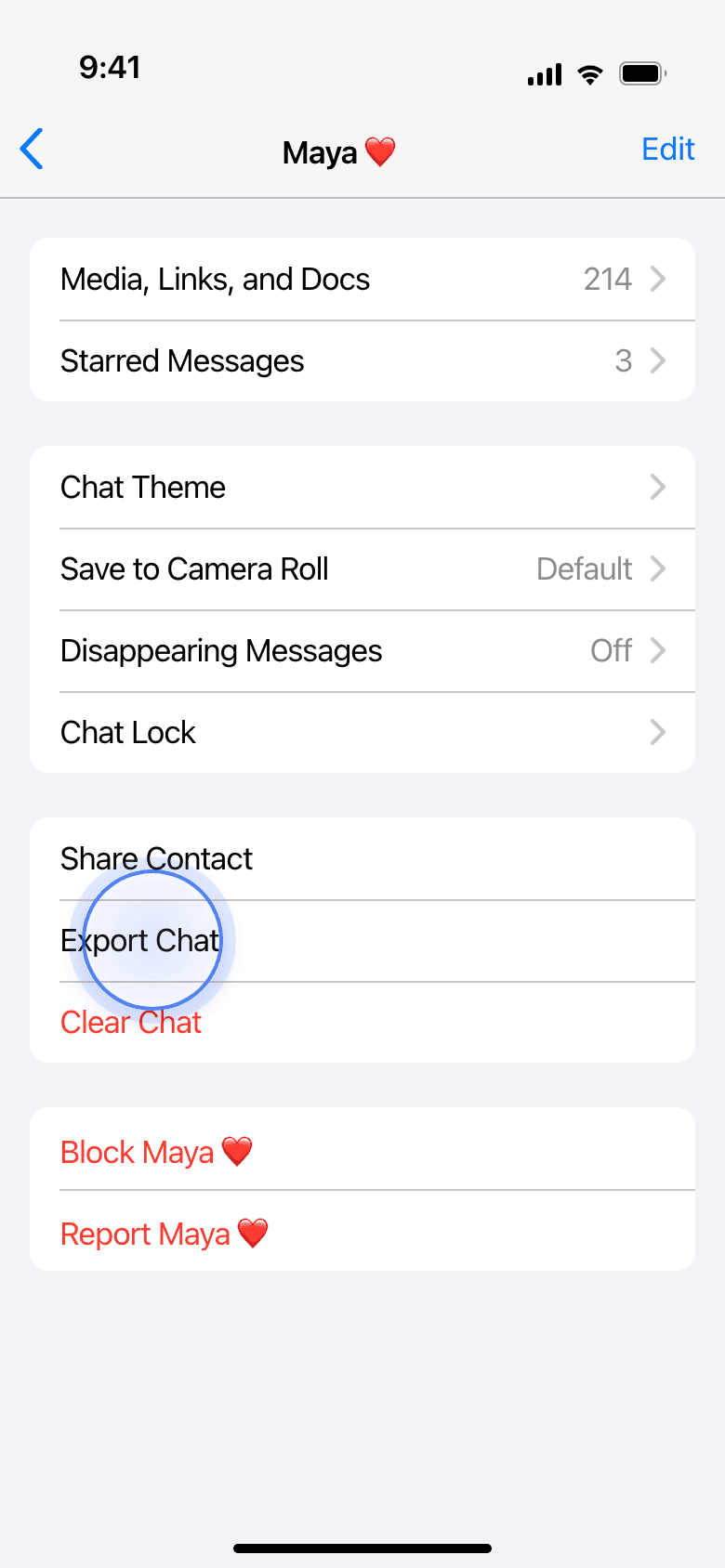
Scroll down to Export Chat.
On the contact info screen, keep scrolling down — Export Chat sits near the bottom, past the media, links, and mute options. It's easy to miss, so scroll all the way.
On Android, tap the three-dot menu at the top, then More, then Export chat.
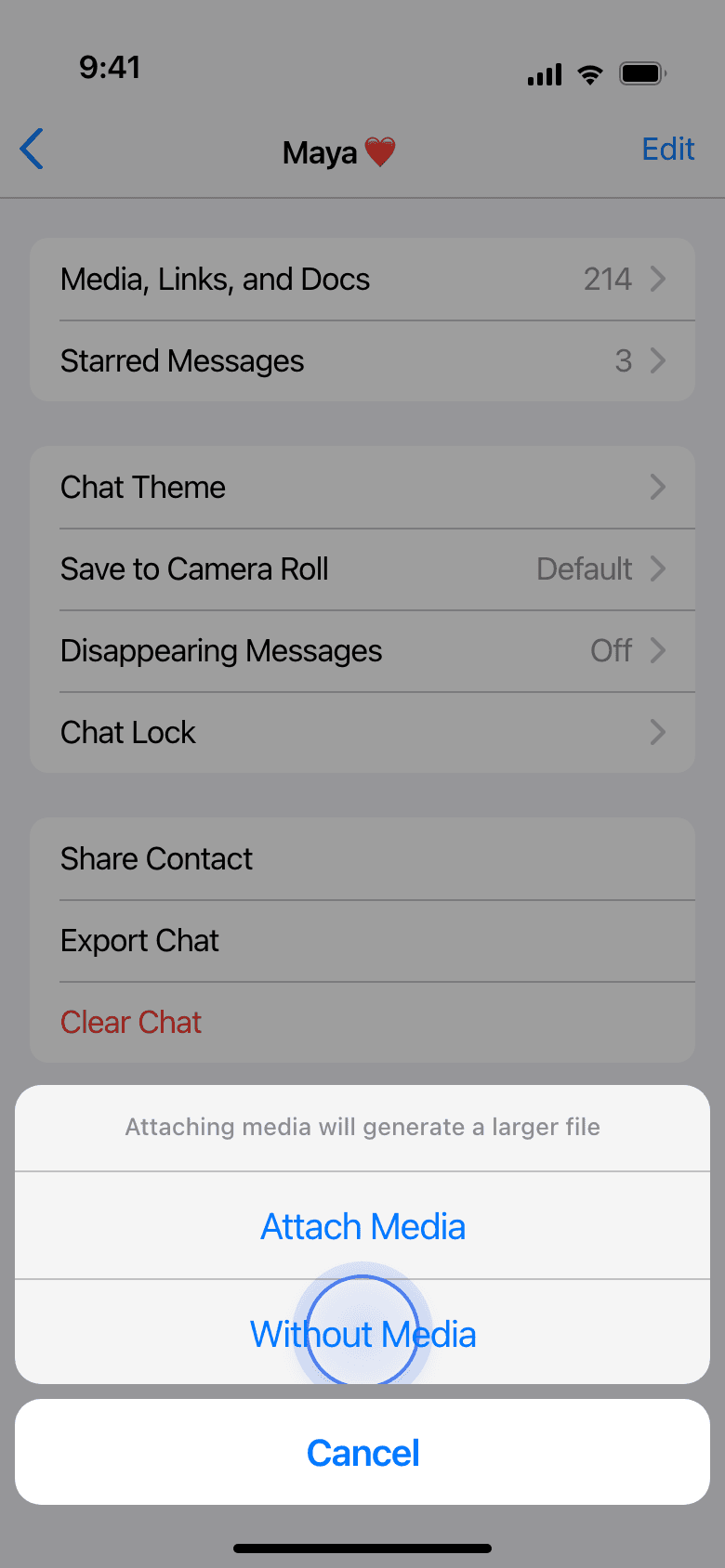
Choose Without Media.
When WhatsApp asks, pick Without Media. The export is faster, smaller, and it keeps photos and voice notes out of the file.
Relationship Anatomy only needs the words, not the attachments.
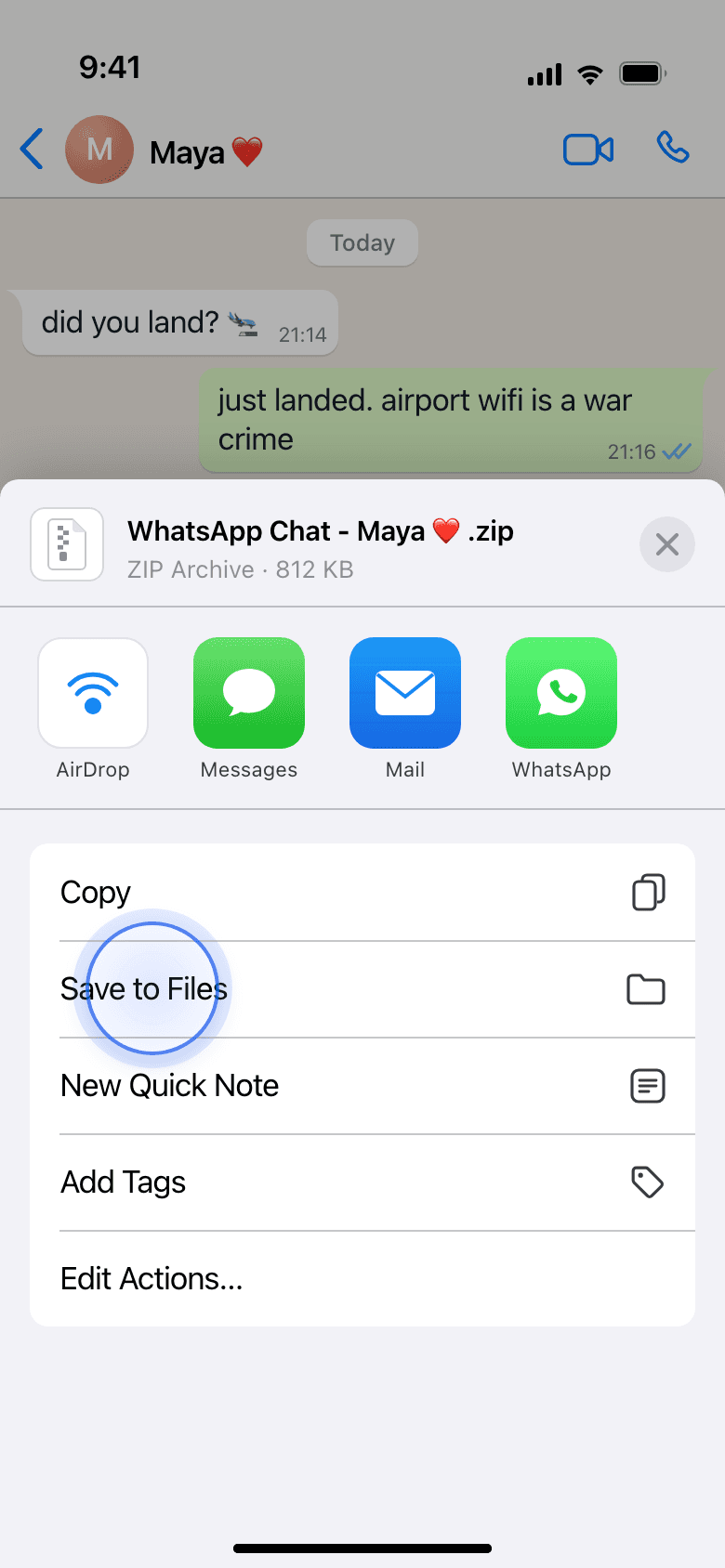
Save the file, then upload it.
From the share sheet, choose Save to Files (or Drive) and note where it lands — you're looking for a .zip or a _chat.txt. Then come back here and drop that one file on the upload box below.
The read usually takes a couple of minutes once the file is uploaded.
A promise about that file
Your chat is deleted the moment we’ve read it. Your reading keeps only the lines it quotes. Nothing trains anything, and your finished page lives at a private link only you have, never indexed. We only ever read the words, never your media.
Got your file? Read the full version.
Free · no account · a couple of minutes.